
Use document and selection context in Word
Decide whether the request targets the selection, cursor, or document, then keep that target stable until the result.
In this article
Choose the target
- Current selection
- The currently selected passage. Use it to replace, format, comment, or insert near specific text.
- Current cursor
- The insertion point when nothing is selected. Some operations can add content there.
- Document body
- A broader scope used to read or append content when the plan explicitly states it.
- Range anchor
- A temporary reference used to verify that the selection did not change between the request and application.
Keep context stable
- State whether Alæc should use the selection or the whole document.
- Avoid moving the cursor, changing the selection, or editing the target passage during processing.
- Review the target, risk, and scope shown in the plan and compare them with the result.
- If the document changes, refresh context and request a new plan.
Practical guidance
Select the exact passage before asking for a localized change and state whether the result should replace it or be inserted after it. Keep the document and selection stable while the request runs. Whole-document context and a selection target are different: reading the document does not authorize every proposed edit anywhere in it.
Advanced tips
For repeated text, include distinctive neighboring words or narrow the selection so the intended occurrence is clear. If the target changes during processing, obtain a fresh plan instead of relying on the old selection’s position.
Check the actual scope of the review
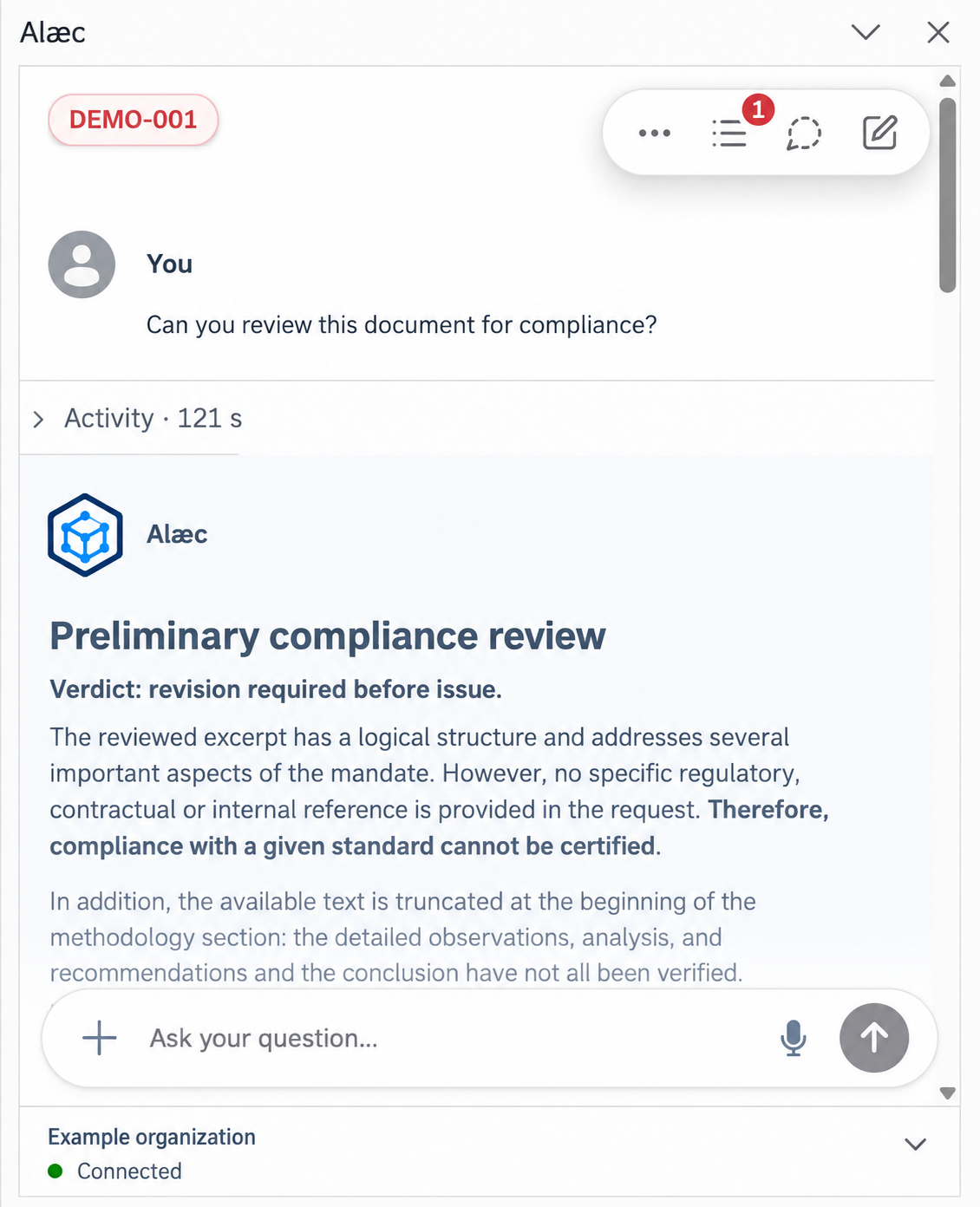
A request about the whole document does not guarantee that every section was reviewed. Read the stated limits, provide missing passages and identify the reference standard before requesting another review. Verify any requested edit separately in Word.