
Understand the sidebar
Find shortcuts to chats, projects, and workspaces.
In this article
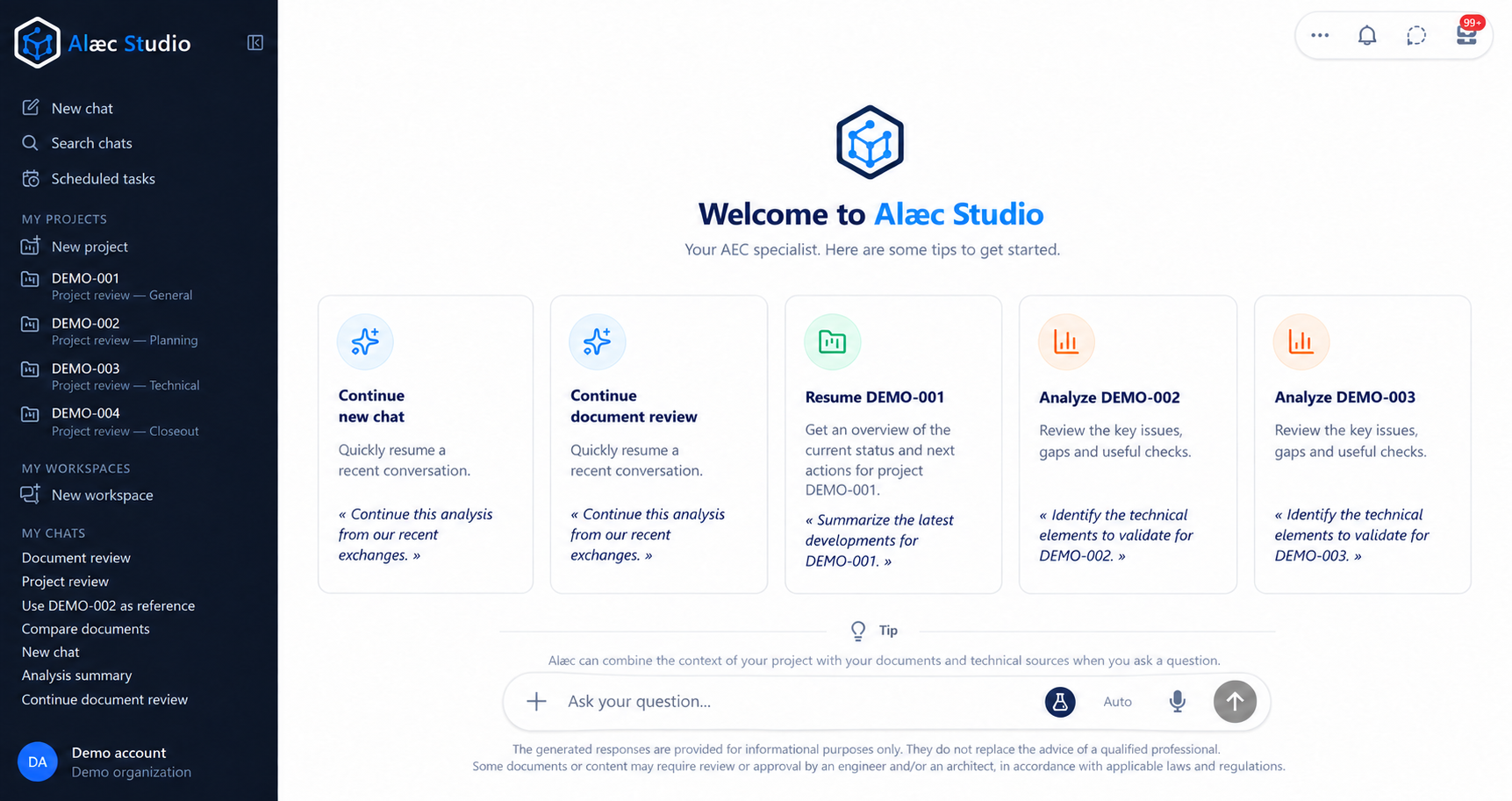
- New chat
- Starts a new conversation.
- Search
- Opens the search for existing conversations.
- Projects
- Provides access to project-related features visible in the environment.
- Workspaces
- Shows the workspaces your account can access.
- Chats
- Shows recent conversations in the open sidebar.
Collapse or reopen the sidebar
Collapse the sidebar when you want to give more room to the conversation. Your chats, projects, and workspaces remain available; only the navigation is condensed.
Select the close icon at the top of the sidebar.
To reopen it, select the Alæc icon in the collapsed rail.
Understand what is displayed
- Recent conversations provide access to saved exchanges your account can view.
- Projects open structured assignment context; their presence depends on the organization and your permissions.
- Workspaces show groups available in the current environment.
- A selection, pinned item, or search result helps navigation without automatically changing assignment content.
Practical guidance
The sidebar also provides Scheduled Tasks and a profile menu containing Settings and Help. Project spaces, workspaces and chats have separate lists and item menus. A workspace badge on a chat is context information, not the chat title.
Advanced tips
If a chat seems missing, reset its filters and check archived items before recreating the work. Pinning, unread state and an activity indicator affect how an item is presented; they do not establish whether its result has been reviewed.